
Business dashboard
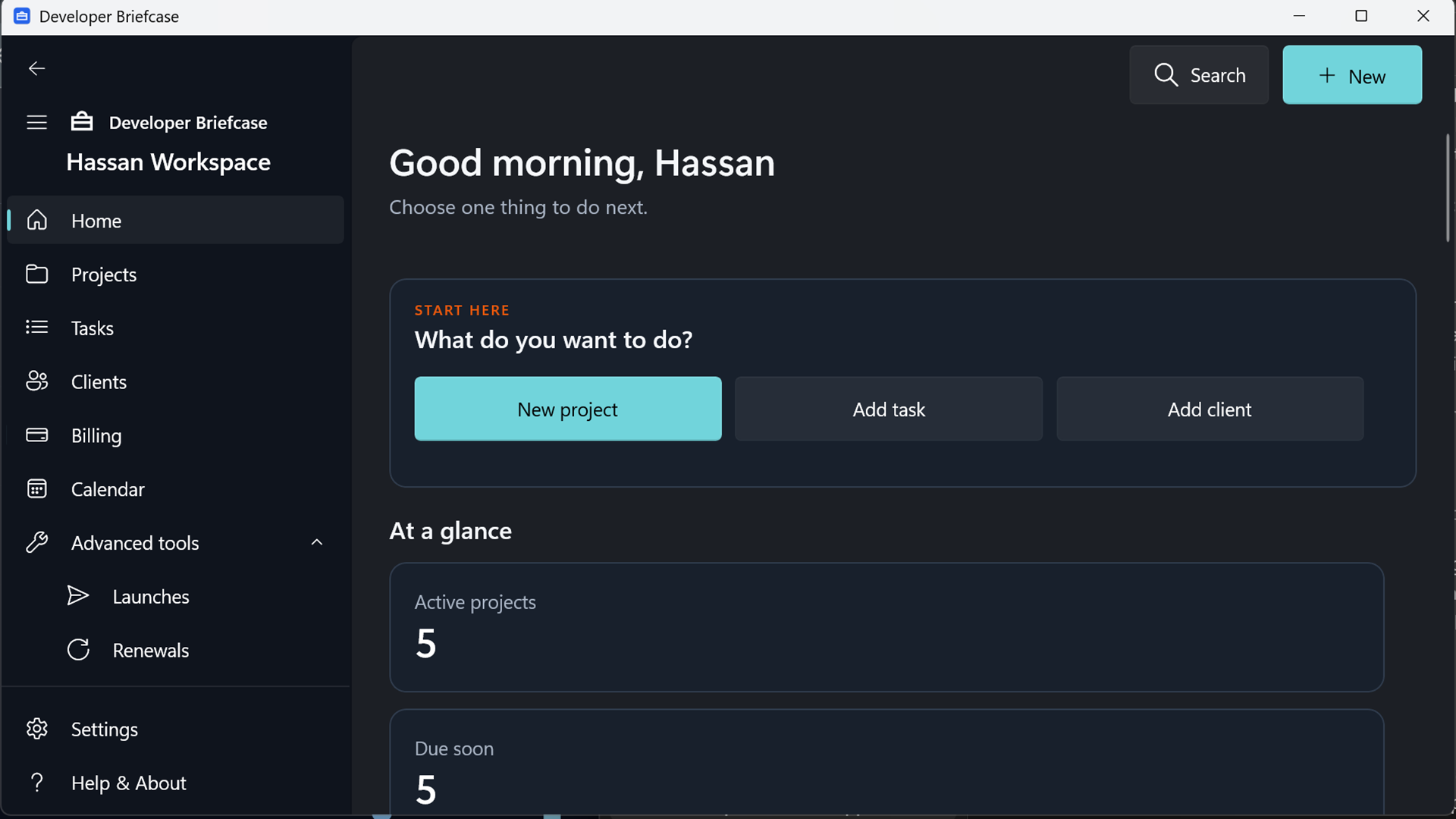
Review active projects, due work, launches, renewals, billing status, and recent activity without rebuilding the picture in your head.
See the dashboard →Bring clients, projects, tasks, launches, renewals, maintenance, resources, invoices, and received payments into one focused desktop workspace.
Built around the actual lifecycle of independent development work—from first client details to launch, maintenance, renewal, and payment follow-up.
Review active projects, due work, launches, renewals, billing status, and recent activity without rebuilding the picture in your head.
See the dashboard →Keep contacts, project status, priority, technology, dates, folders, notes, and linked operational records together.
Organize general and project tasks by due state, priority, completion, and calendar context.
Track required launch work and blockers with structured checklists before a production release.
Remember domains, hosting, licenses, warranties, support agreements, maintenance history, and follow-up dates.
Create invoice records, log payments received elsewhere, and see paid, outstanding, and overdue totals by currency. No money moves through the app.
Understand billing →Open validated URLs, local folders, editors, terminals, and trusted developer tools from project context.
Find clients, projects, tasks, renewals, resources, notes, invoices, and payments without sending a query to a server.
Create integrity-checked database backups and portable JSON exports under your own control.
Protect your workspace →Real application screens show how the workspace brings project delivery, daily tasks, and payment tracking into one consistent Windows experience.
Home command centerProjects, deadlines, billing, and the next useful action at a glance.
 Project portfolioReturn to every client project with its status and technology context.
 Tasks that stay actionableReview completion, dates, and priority without duplicated controls.
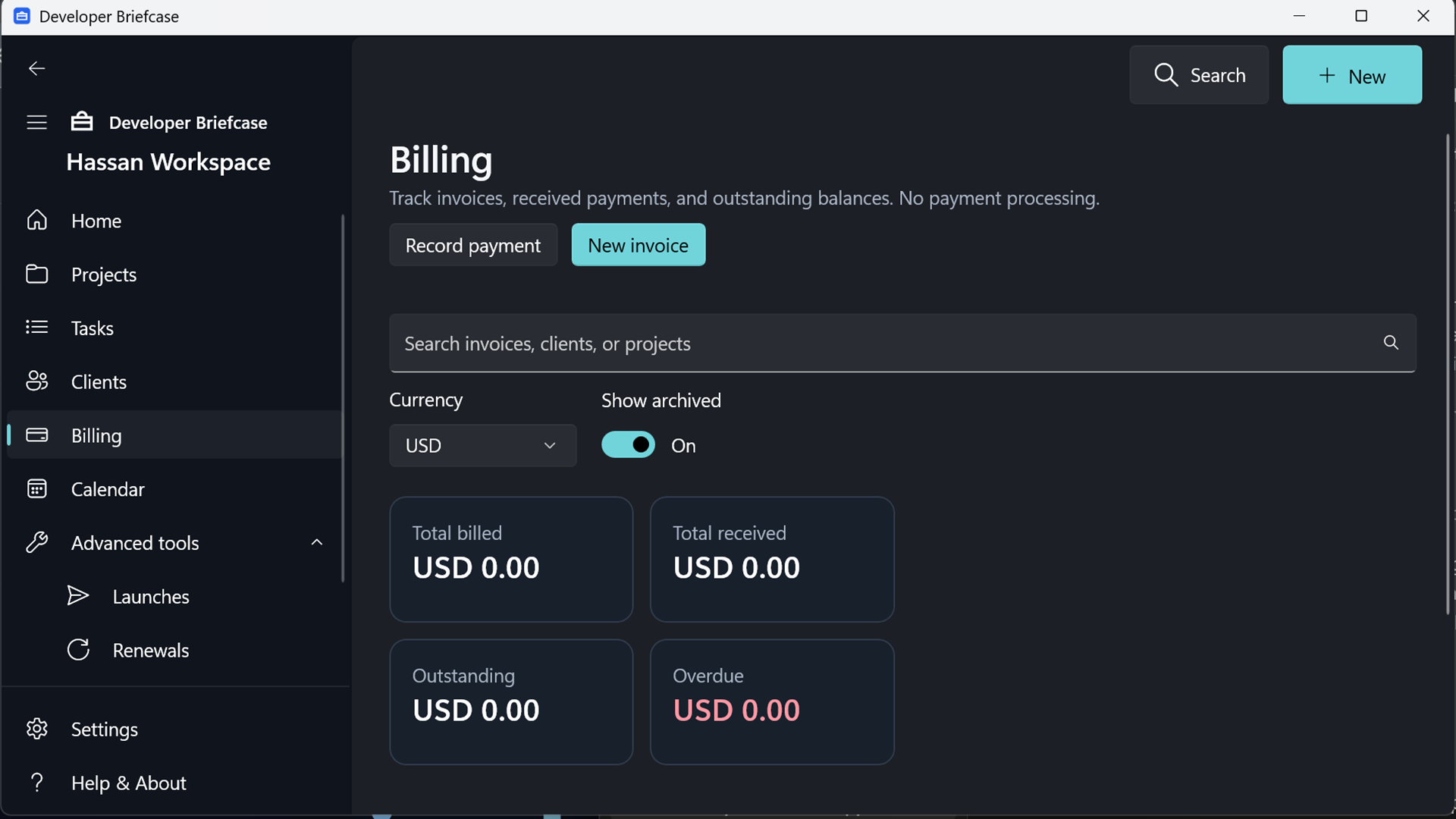 Billing visibilityTrack invoices, payments received elsewhere, outstanding, and overdue balances.
Billing records stay connected to clients and projects, so commercial follow-up remains part of the same professional workspace.
Version 1 stores its SQLite database locally. There is no required account, advertising network, analytics SDK, or Elevoire-operated workspace cloud.
Every operational record remains anchored to a client, a project, or both.
Capture only the business details you are authorized to manage, then connect each project to its owner.
Add tasks, environments, launch items, renewals, maintenance, resources, and useful notes.
Return to deadlines, recent work, attention items, billing status, and the next practical action.
For complete setup and troubleshooting, visit the documentation.
No. It only records invoice and payment information you enter after activity occurs elsewhere. It does not connect to banks, cards, payment gateways, or transfer funds.
No connection is required for the current local workspace features. Internet access is needed when you choose to open websites or online tools and for Store installation or updates.
Version 1 stores workspace records in a SQLite database under the signed-in Windows user’s local application-data area. User-created backups and exports go to locations you choose.
No. Device settings, power state, storage, Windows behavior, user-entered information, external tools, and software failures can affect these functions. Keep independent records and backups for important business obligations.
Developer Briefcase 1.0 for Windows is being prepared for Microsoft Store publishing.